

TechieSA
Craft Unique Typographic Object Logo Illustrations with AI
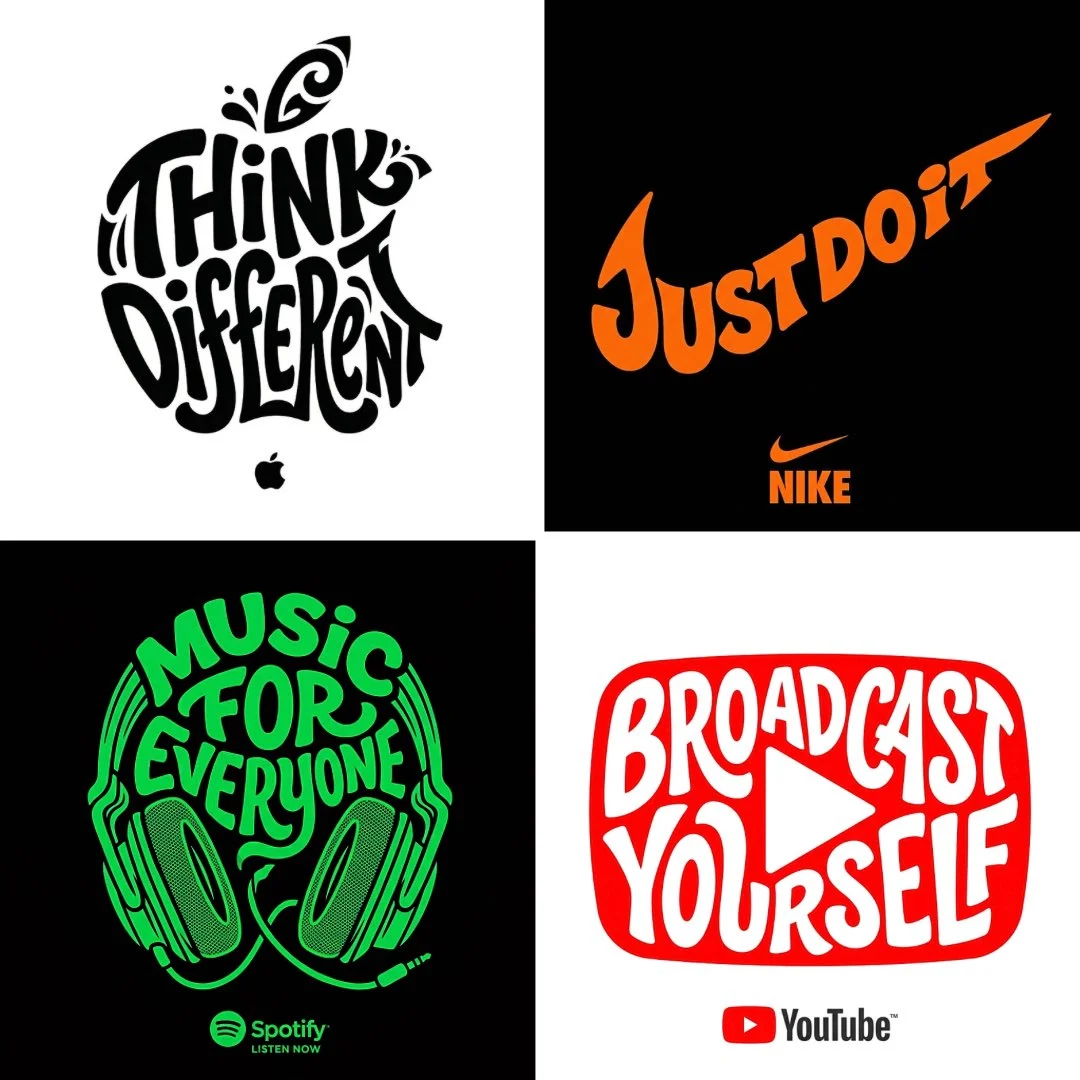
Create a typographic illustration shaped like a [OBJECT], where the text [BRAND SLOGAN] forms the shape — bold and playful lettering style that fills the entire silhouette — letters adapt fluidly to t...
Mais como isso


Craft Unique Typographic Object Logo Illustrations with AI
Unleash your creativity with our cutting-edge prompt for generating a typographic object logo illustration. This powerful tool, powered by the Nanobanana Pro model, allows you to transform your brand slogan into a visually compelling object, merging text and form seamlessly. It's an exceptional way to create a distinctive brand asset that grabs attention and communicates your message.
What makes this prompt truly special is its ability to produce bold, playful lettering that fluidly adapts to the curves and contours of your chosen object. The result is a high-resolution, clean vector-style image that's perfect for a wide range of applications. If you're looking for a fresh, innovative approach to brand identity, a typographic object logo illustration is an unbeatable choice.
Whether you're a designer seeking inspiration or a business owner aiming for a memorable logo, this prompt offers a straightforward path to an impactful typographic object logo illustration. Dive in and see how easy it is to bring your textual concepts to life in an entirely new visual dimension.
When to Use This Prompt
Brand Identity & Logos
Create unique, memorable logos where your brand slogan forms a distinctive object, establishing a strong and playful brand identity.
Marketing & Advertising
Generate eye-catching visuals for social media campaigns, banners, and print ads that stand out with a creative typographic object logo illustration.
Merchandise Design
Design custom apparel, mugs, or other merchandise featuring a fun and recognizable typographic object logo illustration.
Editorial & Web Graphics
Enhance blog posts, articles, or website sections with custom graphic elements that use text as a core visual component, like a typographic object logo illustration.
How to Use This Prompt
Define Your Object
Replace `[OBJECT]` with the item you want your text to form (e.g., 'apple', 'cloud', 'rocket').
Input Your Slogan
Enter your `[BRAND SLOGAN]` – this text will become the shape of your object.
Choose Your Colors
Select `[COLOR 1, COLOR 2]` for the text and `[BACKGROUND COLOR]` to ensure your typographic object logo illustration pops.
Add Your Brand Name
Specify your `[BRAND]` name to have its logo included below the main illustration.
Customization Tips
Experiment with Objects
Try different objects, from simple geometric shapes to more complex items, to see how your slogan adapts. A unique object choice can make your typographic object logo illustration truly stand out.
Play with Slogan Length
Shorter slogans might create bolder, more distinct shapes, while longer ones can offer intricate details within the typographic object logo illustration.
Vary Color Palettes
Test various color combinations for the text and background to match different brand aesthetics or campaign moods. Consider complementary or contrasting colors.
Adjust Lettering Style
While the prompt defaults to 'bold and playful', you can subtly influence the style by adding adjectives like 'elegant', 'geometric', or 'hand-drawn' to the prompt for varied typographic object logo illustration results.