 Enhance Image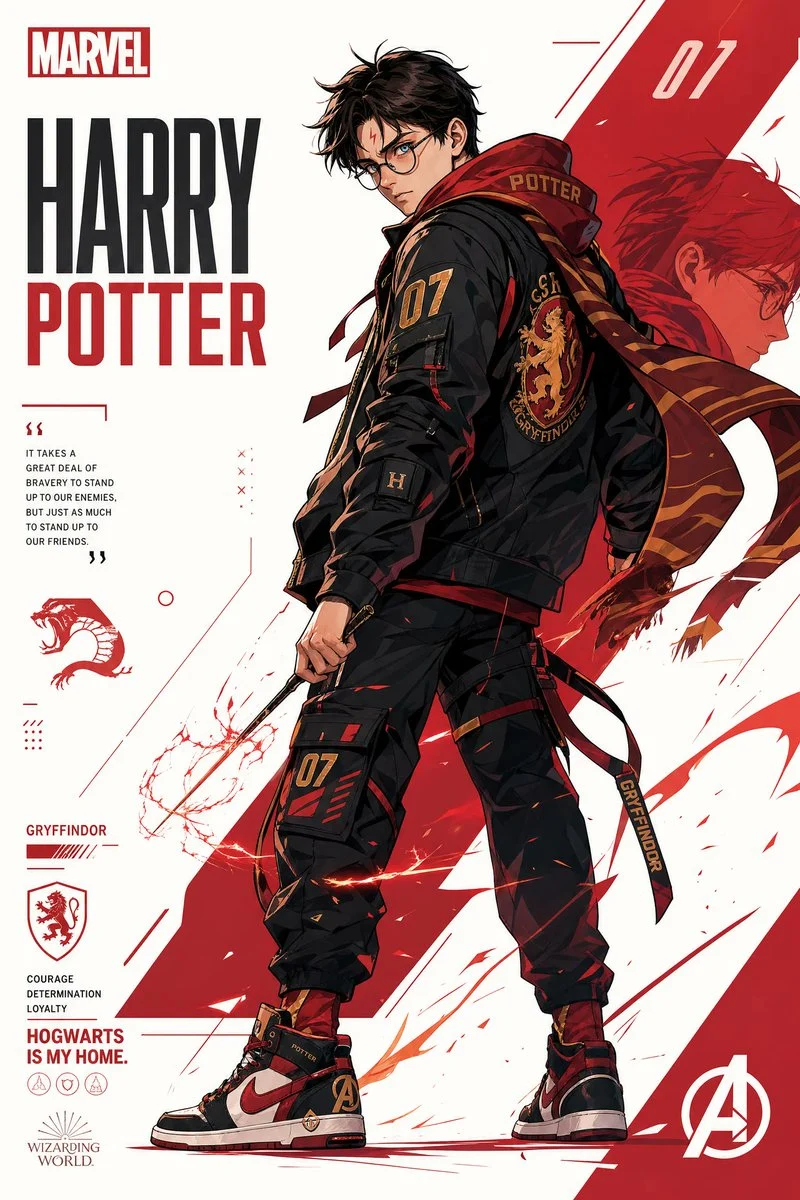

Sharon Riley
Mastering the Anime Streetwear Character Poster Aesthetic
{ "prompt": "Create a stylized illustration of {character_name} from {franchise}.", "character_analysis": { "personality_archetype": "Derive core archetype (heroic, calm, mysterious, aggressi...








%20based%20on%20canon%20portrayal%22%2C%20%20%20%20%22signature_color%22%3A%20%22Extract%20primary%20color%20from%20original%20design%20and%20use%20as%20main%20visual%20accent%22%20%20}%2C%20%20%22pose_and_body_language%22%3A%20{%20%20%20%20%22heroic%22%3A%20%22dynamic%20action%2C%20wide%20stance%2C%20explosive%20movement%22%2C%20%20%20%20%22calm_confident%22%3A%20%22balanced%20relaxed%20posture%2C%20minimal%20motion%22%2C%20%20%20%20%22dark_mysterious%22%3A%20%22low%20stance%2C%20subtle%20movement%2C%20hidden%20or%20sharp%20gaze%22%2C%20%20%20%20%22aggressive_intense%22%3A%20%22forward-leaning%20attack%20stance%2C%20visible%20tension%2C%20clenched%20fists%22%20%20}%2C%20%20%22facial_expression%22%3A%20%22Match%20expression%20precisely%20to%20personality%20and%20emotional%20tone%22%2C%20%20%22art_style%22%3A%20[%20%20%20%20%22anime%22%2C%20%20%20%20%22streetwear%22%2C%20%20%20%20%22graphic%20poster%20hybrid%22%2C%20%20%20%20%22clean%20lineart%22%2C%20%20%20%20%22semi-flat%20shading%22%2C%20%20%20%20%22high%20contrast%22%2C%20%20%20%20%22modern%20minimal%20design%22%20%20]%2C%20%20%22composition%22%3A%20{%20%20%20%20%22format%22%3A%20%22vertical%20({aspect_ratio})%22%2C%20%20%20%20%22subject_position%22%3A%20%22off-center%20placement%22%2C%20%20%20%20%22visual_flow%22%3A%20%22strong%20diagonal%20composition%22%2C%20%20%20%20%22depth%22%3A%20%22layered%20depth%20for%20dynamic%20poster%20feel%22%20%20}%2C%20%20%22outfit_design%22%3A%20{%20%20%20%20%22style%22%3A%20%22modern%20streetwear%20%2F%20techwear%20reinterpretation%22%2C%20%20%20%20%22rule%22%3A%20%22preserve%20recognizable%20identity%20elements%20of%20original%20character%22%20%20}%2C%20%20%22color_palette%22%3A%20{%20%20%20%20%22background%22%3A%20%22clean%20white%20dominant%20background%22%2C%20%20%20%20%22primary_accent%22%3A%20%22signature%20character%20color%22%2C%20%20%20%20%22secondary_accent%22%3A%20%22complementary%20or%20analogous%20tone%22%2C%20%20%20%20%22rule%22%3A%20%22minimal%2C%20bold%2C%20high-contrast%20palette%22%20%20}%2C%20%20%22background%22%3A%20{%20%20%20%20%22type%22%3A%20%22abstract%20geometric%20poster%20layout%22%2C%20%20%20%20%22style%22%3A%20%22negative%20space%20focused%22%2C%20%20%20%20%22accents%22%3A%20%22subtle%20integration%20of%20character%20color%20theme%22%20%20}%2C%20%20%22effects%22%3A%20[%20%20%20%20%22energy%20strokes%22%2C%20%20%20%20%22paint%20lines%22%2C%20%20%20%20%22motion%20accents%20aligned%20with%20character%20energy%22%20%20]%2C%20%20%22lighting%22%3A%20{%20%20%20%20%22type%22%3A%20%22sharp%20directional%20lighting%22%2C%20%20%20%20%22shadows%22%3A%20%22crisp%20shadows%22%2C%20%20%20%20%22glow%22%3A%20%22subtle%20signature%20color%20glow%22%20%20}%2C%20%20%22rendering_quality%22%3A%20{%20%20%20%20%22style%22%3A%20%22ultra-clean%20vector%20finish%22%2C%20%20%20%20%22output%22%3A%20%22poster-quality%20composition%22%2C%20%20%20%20%22resolution%22%3A%20%224K%20high%20detail%22%20%20}}&image=https%3A%2F%2Fcdn.enhanceimage.org%2FEnhanceImage%2Fimgs%2Fprompts%2Ftweets%2F2052453881800798451%2F0.jpg)
Mastering the Anime Streetwear Character Poster Aesthetic
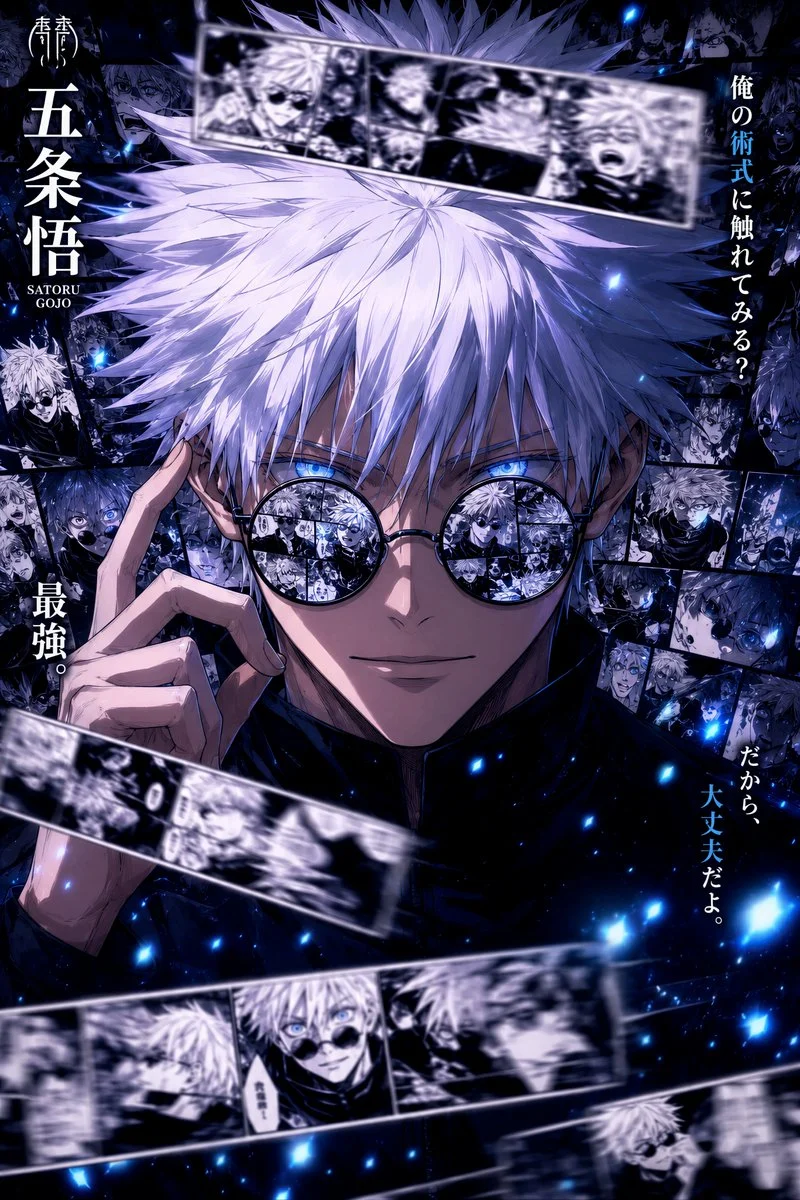
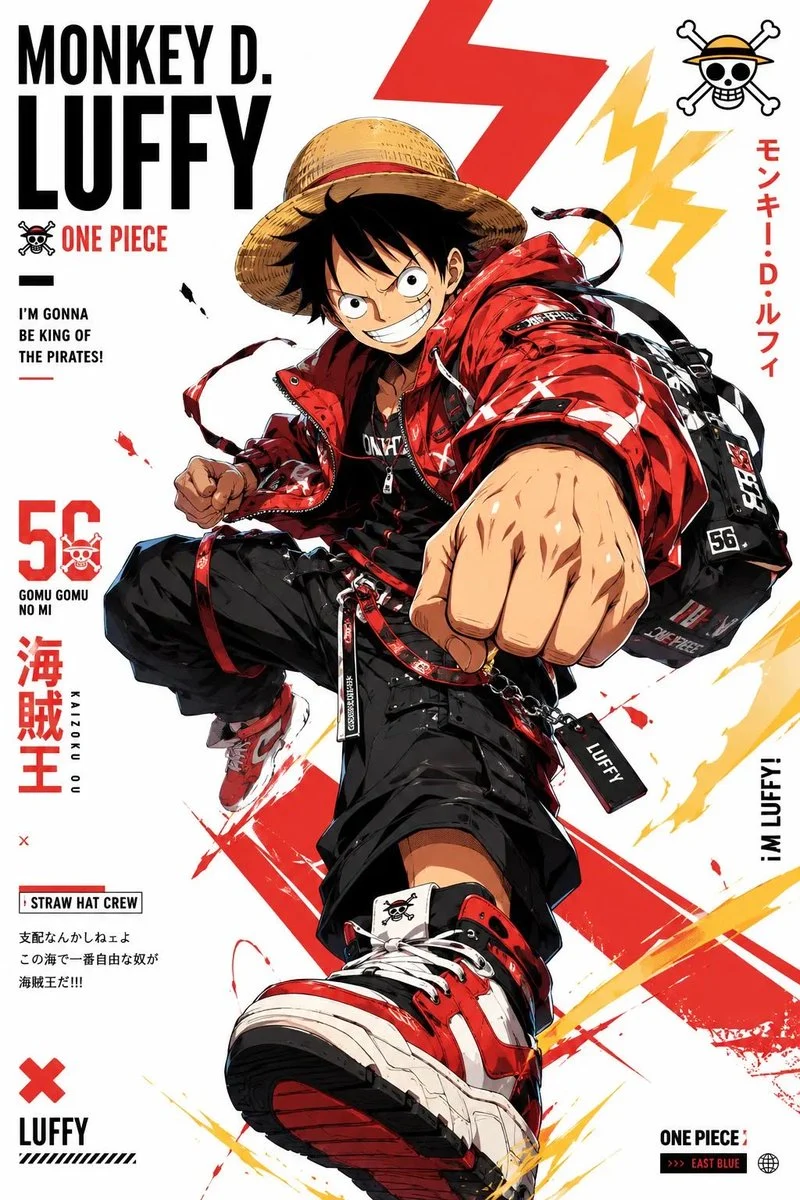
Dive into the cutting-edge world of AI-generated art with our specialized prompt designed to create a captivating anime streetwear character poster. This prompt is meticulously crafted for the Illustration & 3D category, leveraging the power of GPT Image (ChatGPT) to blend the dynamic energy of anime with the urban flair of streetwear fashion.
What makes this prompt truly special is its ability to produce high-contrast, poster-quality compositions. Imagine your favorite characters re-imagined with modern techwear elements, sharp directional lighting, and a clean, semi-flat shading style. Whether you're an artist seeking inspiration or a fan wanting unique character art, mastering the anime streetwear character poster style has never been more accessible.
This prompt is engineered to deliver stunning visuals, focusing on crisp lineart, bold color palettes, and a distinct graphic poster hybrid look. The resulting anime streetwear character poster will stand out with its ultra-clean vector finish and dynamic visual flow, perfect for digital displays or print.
When to Use This Prompt
Unique Fan Art Creations
Generate fresh, modern interpretations of beloved characters in an anime streetwear character poster style, perfect for sharing online.
Digital Poster Design
Create eye-catching digital posters for events, personal projects, or social media campaigns with a distinct anime streetwear character poster aesthetic.
Character Design Exploration
Experiment with different outfits, poses, and expressions for original characters, seeing them brought to life as an anime streetwear character poster.
Creative Project Inspiration
Use the generated images as mood boards or starting points for comic books, animations, or graphic design projects, focusing on the anime streetwear character poster look.
How to Use This Prompt
Identify Your Character & Franchise
Begin by selecting a character and their respective franchise. Consider their core personality and signature colors for best results.
Define Personality & Pose
Choose a personality archetype (heroic, calm, mysterious, aggressive) and a corresponding pose to convey the desired emotion and energy for your anime streetwear character poster.
Refine Facial Expression
Ensure the facial expression accurately reflects the chosen personality and emotional tone, adding depth to your anime streetwear character poster.
Experiment with Customizations
Utilize the customization tips below to fine-tune the outfit, background elements, and effects to achieve your perfect anime streetwear character poster.
Customization Tips
Character & Franchise Specifics
Replace `{character_name}` and `{franchise}` with your desired subject. The AI will draw on its knowledge to capture key identity elements for your anime streetwear character poster.
Pose & Emotion Control
Adjust the `pose_and_body_language` and `facial_expression` fields to dictate the character's demeanor. A heroic stance with an intense expression creates a very different anime streetwear character poster than a calm, confident one.
Color Palette Customization
While the prompt suggests a white background and signature color, you can experiment with `secondary_accent` or even subtly alter the `background` type for a unique anime streetwear character poster.
Aspect Ratio Adjustment
The prompt defaults to vertical, but you can specify different aspect ratios (e.g., `16:9`, `1:1`) for your anime streetwear character poster by modifying the `{aspect_ratio}` field.