 Enhance Image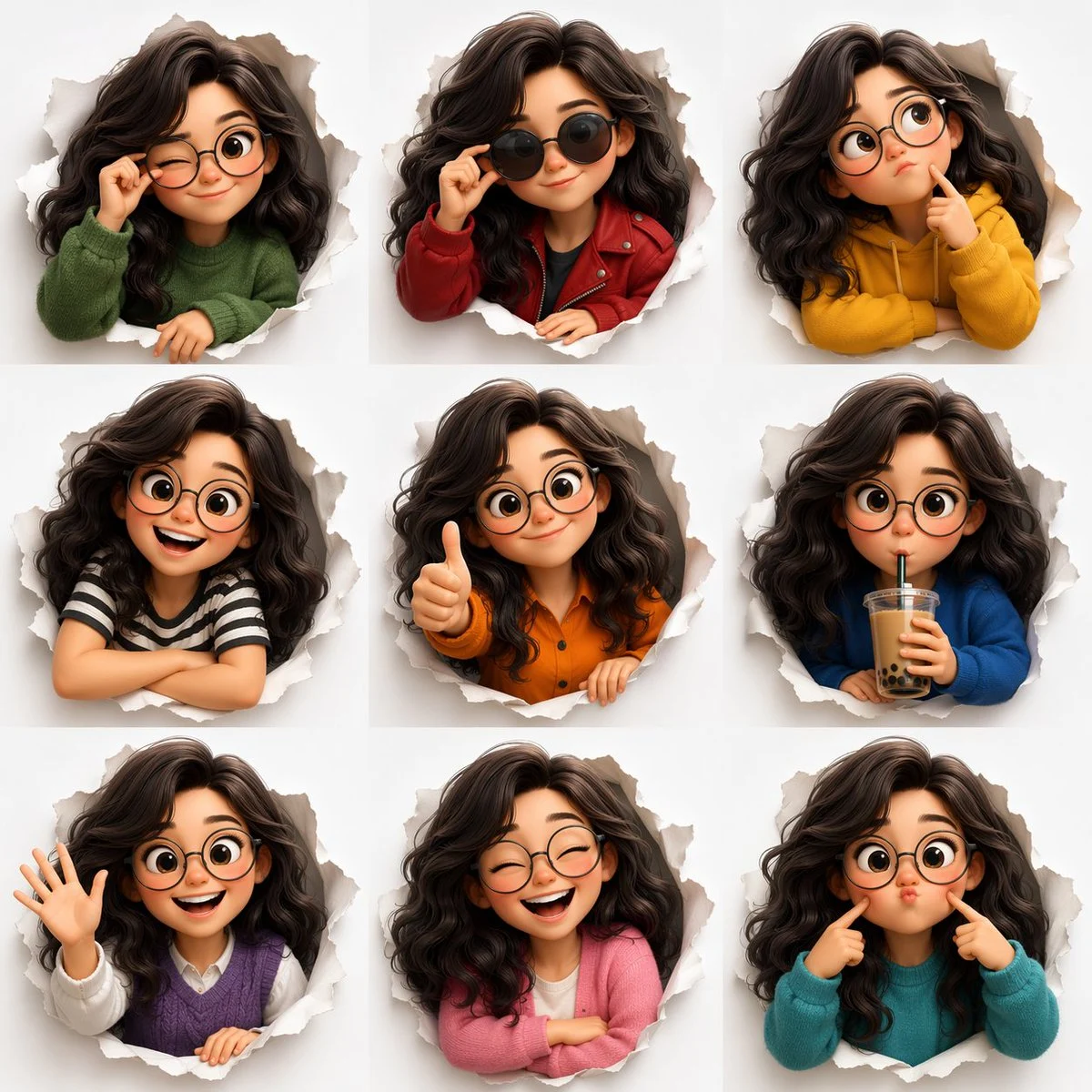

Austin
Mastering the Pixar Avatar Expression Sheet
3D Pixar-style expression sheet, cute stylized avatar with wavy dark hair and round glasses, 3x3 grid layout, peeking through torn paper circles, emotions: wink, sunglasses cool, thinking, happy smile...










Mastering the Pixar Avatar Expression Sheet
Dive into the whimsical world of character design with our incredible prompt for generating a Pixar avatar expression sheet. This prompt is expertly crafted to produce a grid of delightful expressions for a single character, emulating the beloved 3D animation style of Pixar. It's an indispensable tool for artists, designers, and storytellers looking to bring their characters to life with a full range of emotions.
What makes this prompt truly special is its ability to maintain character consistency while exploring diverse expressions and even outfit changes. The resulting images are vibrant, highly detailed, and capture that iconic adorable cartoon character aesthetic. Whether you're mocking up ideas for a new project or just having fun, mastering the pixar avatar expression sheet prompt will elevate your creative output.
Generating a comprehensive expression sheet like this helps define a character's personality and emotional range, making it easier to visualize them in various scenarios. The 'pixar avatar expression sheet' is not just about pretty pictures; it's about building foundational assets for your creative endeavors.
When to Use This Prompt
Character Design & Development
Quickly visualize a character's full emotional spectrum and design variations for animation or game development.
Storyboarding & Animation Pre-production
Use consistent character expressions to plan scenes and convey narrative emotions effectively before animating.
Social Media & Marketing Assets
Create engaging and expressive avatars for profiles, posts, or marketing campaigns that resonate with audiences.
Personalized Avatars & Gifts
Generate unique, expressive avatars for personal use, digital art, or as custom gifts for friends and family.
How to Use This Prompt
Understand the Core Concept
Recognize that the prompt aims for a 3x3 grid showing one character with multiple expressions and outfits, all in a Pixar 3D style.
Identify Key Elements
Break down the prompt into character description, expression list, outfit list, layout, and stylistic details (lighting, background).
Customize Character Traits
Modify hair color, style, accessories (like glasses), and any other physical attributes to match your desired avatar.
Experiment with Emotions & Outfits
Change the listed emotions and outfit descriptions to explore different facets of your character's personality. This is crucial for a unique pixar avatar expression sheet.
Refine Stylistic Details
Adjust lighting, background, or color palettes to fine-tune the overall mood and aesthetic of your expression sheet.
Customization Tips
Vary Grid Layouts
Instead of a 3x3 grid, try '2x4 grid' or a '4x2 grid' to experiment with different visual presentations of your pixar avatar expression sheet.
Introduce Different Props
Change 'drinking boba tea' to 'holding a book,' 'playing a guitar,' or 'holding a video game controller' to add situational context.
Alter Background Elements
Instead of 'clean white background,' try 'soft pastel background,' 'blurred park background,' or 'minimalist studio background' for varied settings.
Explore Character Ages
Modify 'cute stylized avatar' to 'teenager stylized avatar' or 'elderly stylized character' to generate a broader range of characters.
Refine Lighting & Mood
Experiment with 'warm sunset lighting,' 'cool neon lighting,' or 'dramatic spotlight' to change the emotional tone of the sheet.