 Enhance Image
HD Photo Converter & Enhancer – Upgrade Any Image to High Definition
Convert any photo to HD quality online for free. Our AI-powered HD photo converter and enhancer increases resolution, sharpens detail, and upgrades low-quality images to high definition.
HD Photo Converter & Enhancer – Upgrade Any Image to High Definition
Convert low-resolution photos to HD quality instantly with AI. Enhance clarity, sharpen detail, and upgrade everyday images to high definition using our powerful HD photo enhancer.
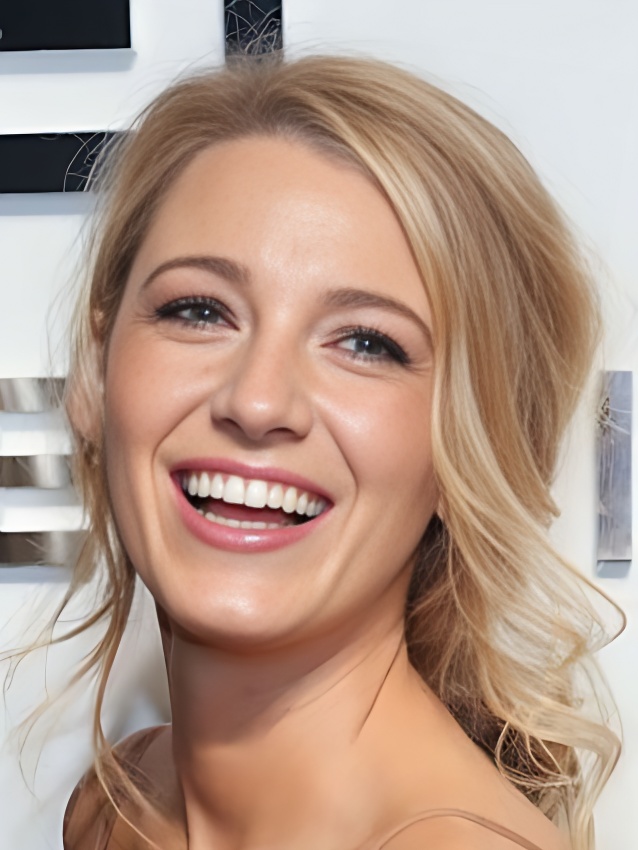
What Is an HD Photo Converter and How Does It Work?
An HD photo converter uses AI to analyze your image, reconstruct missing pixel detail, and output a higher-resolution version. Unlike simple resizing that stretches pixels, our HD photo enhancer intelligently fills in new visual information so the final image looks sharper, cleaner, and truly high definition.
- AI-Powered Resolution UpgradeOur HD photo enhancer detects edges, textures, and fine details, then reconstructs them at a higher resolution for genuinely sharper output.
- Natural Detail RecoveryRecover facial features, product textures, and landscape elements without introducing the harsh artifacts or noise that basic resizing creates.
- Ready-to-Use HD OutputDownload your converted HD image and use it directly for social media posts, e-commerce listings, print projects, or professional portfolios.
Why Choose Our AI HD Image Converter?
Our HD photo enhancer delivers real resolution improvement, not just simple upscaling that stretches existing pixels.
True HD Quality Enhancement
Get genuine high-definition output by adding real visual detail, not just interpolating pixels. The difference is visible in every edge and texture.
One-Click HD Conversion
Upload your photo, let AI process it, and download the HD result. No manual settings, no complex editing software needed.
Works on All Photo Types
Convert portraits, product photos, screenshots, landscape images, and scanned documents to HD quality with consistent results.
How to Convert a Photo to HD Online
Use our HD photo converter in three simple steps:
Upload Your Image
Upload the photo you want to convert to HD. Supports JPG, PNG, WEBP, and other common formats up to 20MB.
AI Converts to HD
Our AI analyzes the image structure, enhances resolution, sharpens detail, and reconstructs missing information to produce a true HD result.
Download Your HD Photo
Preview the HD conversion result, compare it with the original, then download the enhanced image for immediate use.
What Our HD Photo Converter Can Do
A complete set of AI-driven tools for converting any image to high definition.
Convert Low-Res to HD
Transform blurry, pixelated, or low-resolution images into clean, high-definition photos suitable for professional use.
Enhance Photo Clarity
Sharpen soft edges, improve facial details, and bring out textures that were lost in compression or small file sizes.
Upscale Image Resolution
Increase image resolution by 2x or 4x while maintaining visual quality. Ideal for enlarging photos for printing or high-DPI screens.
Fix Compressed Images
Restore quality lost to JPEG compression, social media re-uploads, or messaging app compression artifacts.
Batch HD Conversion
Convert multiple photos to HD in one session. Perfect for photographers, designers, and e-commerce sellers with large image libraries.
API for Developers
Integrate our HD photo conversion pipeline into your own applications, platforms, or workflows with API access.
HD Photo Converter Success Stories
See how users upgrade their images to HD quality for work, business, and personal projects.
"I use this HD photo converter when clients send me low-resolution reference images. It helps me produce usable HD versions quickly without manual retouching."
"Our product images from suppliers often come in low quality. This converter helps us get HD versions ready for our storefront in minutes."
"I convert my older photos to HD before posting them on social media. The quality difference is noticeable and my audience engagement has improved."
"When a project calls for large-format printing and the source images are low-res, this tool saves hours of manual work by converting them to HD."
Questions About HD Photo Conversion
Learn how our AI HD photo converter works and when it delivers the best results.
Ready to Convert Your Photos to HD?
Try our AI HD photo converter free. Upgrade for higher resolution output, batch processing, and professional-grade enhancement.