 Enhance Image
Object Remover — Remove Unwanted Objects from Photos Online
Remove unwanted objects from photos instantly with our free AI object remover. Erase people, items & distractions seamlessly. No Photoshop needed - try it now!

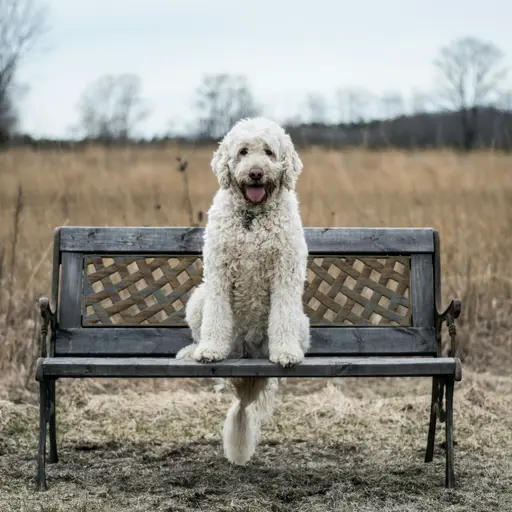
Remove Object from Photo Instantly with AI
Erase unwanted objects from photos in one click with our free AI tool. Perfect for travel shots, product photos, and real estate images. Get seamless results instantly — no editing skills required.
How Does Our AI Object Remover Work?
Our free object remover uses advanced AI inpainting technology to intelligently detect and erase unwanted objects from your photos. The AI analyzes the surrounding area and seamlessly reconstructs the background, making it look like the object was never there. Whether you're cleaning up product photos, removing photobombers, or erasing power lines, our tool delivers professional results automatically.
- Intelligent Object DetectionOur AI automatically identifies the object you want to remove and understands its boundaries, ensuring precise removal without affecting the surrounding areas.
- Seamless Background ReconstructionAdvanced inpainting algorithms fill in the removed area by analyzing and recreating the background texture, colors, and patterns for a natural-looking result.
- High-Quality OutputGet professional results that maintain your original image quality. Our object remover preserves resolution and detail while making unwanted elements disappear.
Why Choose Our Free AI Object Remover?
Our tool to remove object from photo combines speed, precision, and ease of use for professional results.
100% Free Online Tool
Remove objects from your photos completely free. No hidden fees, no watermarks, and no credit card required to start cleaning up your images.
Instant AI Processing
Our optimized AI removes objects in seconds, not minutes. Get your cleaned-up photos ready for use almost immediately.
No Photoshop Skills Required
You don't need to be a photo editing expert. Simply mark the object you want to remove and let our AI do the rest.
How to Remove Object from Photo in 3 Simple Steps
Follow this simple process to erase unwanted objects from your pictures using our free online tool:
1. Upload Your Photo
Click the upload button and select the image containing the object you want to remove. Our object remover supports JPG, PNG, and WebP formats.
2. Mark the Object to Remove
Use the brush tool to highlight or mark the unwanted object in your photo. Be as precise as you need—the AI will handle the rest.
3. Download Your Clean Image
The AI automatically reconstructs the background and removes the object. Preview the result and download your professionally cleaned photo.
Powerful Features to Remove Any Object from Your Photos
Comprehensive tools to erase unwanted objects and clean up any image with professional precision.
Remove People & Photobombers
Easily remove unwanted people, tourists, or photobombers from your travel photos, group shots, or scenic images.
Erase Unwanted Items
Remove distracting objects like trash, signs, wires, or any clutter that ruins your perfect shot.
Clean Up Product Photos
Perfect for e-commerce sellers who need pristine product images. Remove blemishes, dust, or background distractions instantly.
Fix Real Estate Photos
Remove unsightly objects from property photos to make listings more appealing and professional.
Remove Text & Watermarks
Erase unwanted text, logos, or watermarks from images while preserving the natural background.
Batch Object Removal
Need to remove objects from multiple images? Process entire batches efficiently with consistent quality.
What Our Users Say About Object Remover
See how our users successfully remove objects from photos for their projects.
"This object remover is a game-changer for my product photos! I can remove any unwanted items from my shots in seconds. My listings look so much more professional now."
"Finally, a free tool that actually works! I use it to remove tourists from my travel photos. The background reconstruction is seamless."
"Removing unwanted objects from property photos used to take forever in Photoshop. Now I can clean up images in seconds with this AI tool."
"I recommend this to everyone who asks how to remove object from picture. It's fast, free, and the quality is outstanding."
Frequently Asked Questions About Object Removal
Learn more about how to remove objects from photos and get the best results.
Ready to Remove Unwanted Objects from Your Photos?
Don't let distracting objects ruin your perfect photos. Use our free AI object remover now and get clean, professional images in seconds.